AI Avatar from Images
Upload Image
Click or drag a file to this area to upload
Format: jpg/png/webp, Size: up to 20M
Dimensions: Width and height between 300-5000 pixels
V2.1 (More Flexible, High Motion, Supports Wide Content)
(required for video matting)
Upload Image
Click or drag a file to this area to upload
Format: jpg/png, Size: up to 20M
Format: jpg/png, Size: up to 20M
Pick Background Color
My Result
Guide
API
AI Avatar from Images Operation Process
1. Upload a photo of yourself.
2. The AI will drive the photo to move and speak. Make sure you look attractive and clear.
3. After uploading, click 'Instant Avatar' to start the AI training. Wait for 1 minute, then your AI clone can be selected from 'Create LipSync' - 'My Avatars'.
4. Uploading photos of public figures is prohibited, and the system will return a failure.
Price: 30 credits
Original Material Requirements
1. The person in the image should be facing forward (angle should allow both ears to be visible).
2. Ensure there is only one face in the image; images containing multiple faces are not supported.
3. The face should neither be too large nor too small. Ensure the entire face is within the screen area and not cropped out. It is recommended that the face width occupy between one-tenth and one-third of the overall image width.
4. Make sure facial features are not obscured, ensuring clear visibility of the facial features and contours.
Example

Recommend

Side view

Occlusion

Blur

Multi faces

Too large
Original Background Requirements
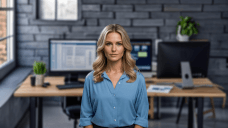
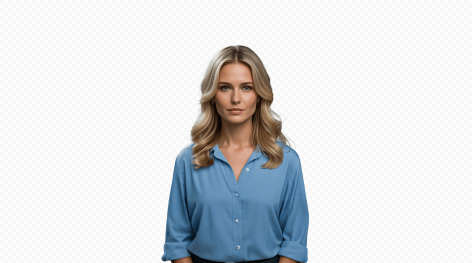
1. If you need to remove the background from the uploaded image or video, please upload an image of the corresponding background. The background image must match the size and resolution of the original image or video. The background image is not the one you will replace in the future, but the background part of your original image or video. For example, if your video is a talking head shot of you in a room, the background image must be a photo of the room taken from the same angle.
2. If your original image or video has a solid color background, such as a green screen, you can also select a color from the color palette that matches the background color of your video.
3. If you do not need to remove the background, please ignore uploading the background image.
Example
Original Material

Original Background
Cutout Effect